Playlist intelligence for iOS

Understand your playlist before you press play.

Import an HTTPS playlist you are permitted to use, inspect its structure, browse the declared library, and open supported media in one transparent workspace.
Built for iPhone and iPad HTTPS-only intake iOS 15 or later
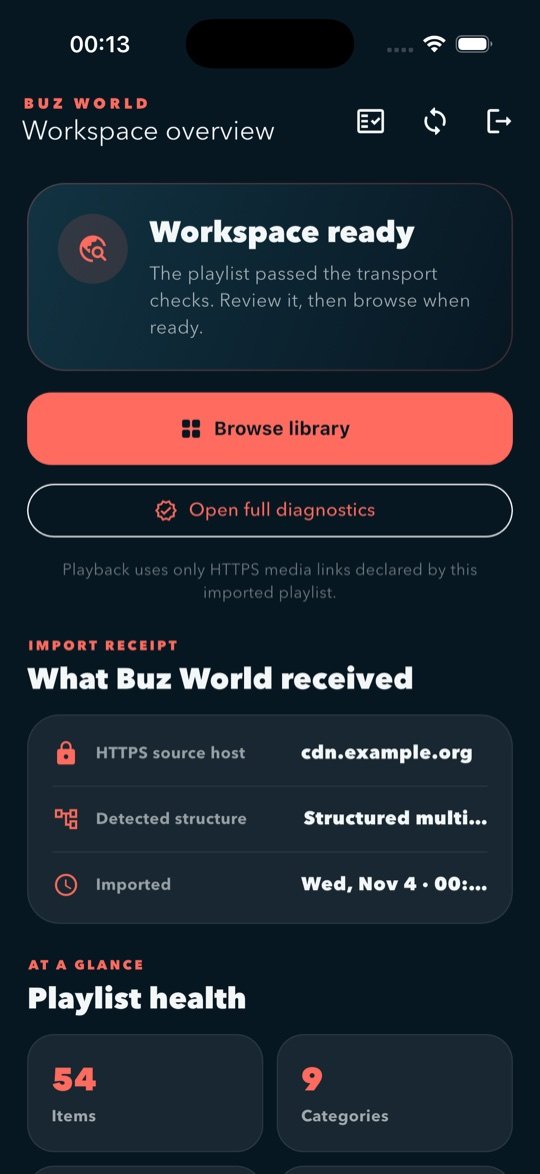
Buz World workspace overview on iPhone
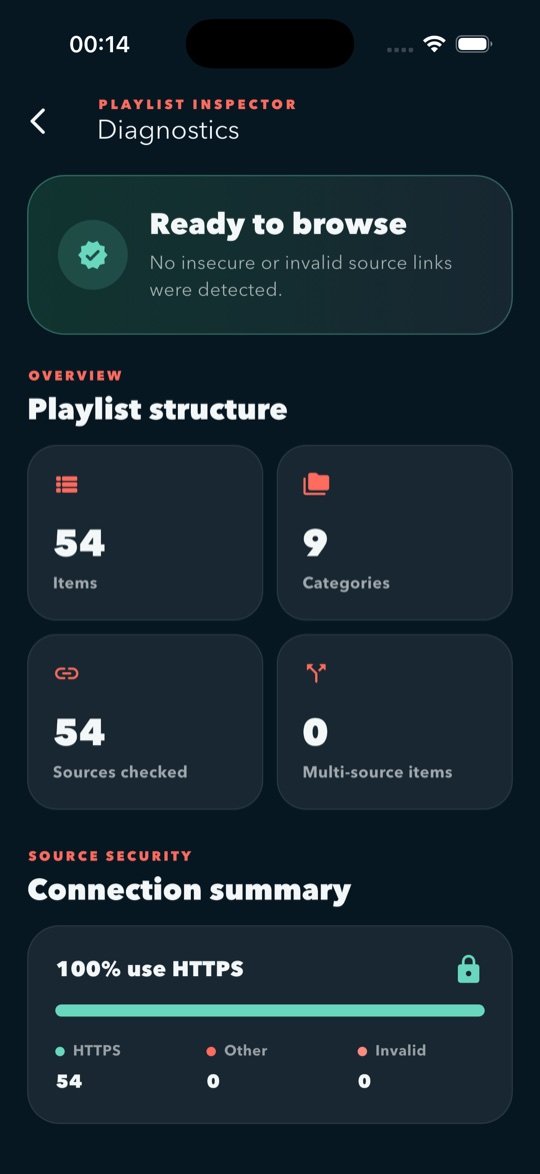
Buz World playlist diagnostics on iPhone
VisibleEvery feature follows the normal interface.
No accountOpen the app and use your own source.
No ads or trackingNo analytics SDK or advertising identifier.
User-supplied sourcesBuz World does not bundle a media catalog.
On-device workspaceHistory, preferences, and cache stay local.
One clear workflow

From link to library, without hidden behavior.

Buz World turns a source you choose into a readable workspace. Every stage is visible and initiated by you.

01

Import intentionally

Enter an explicit HTTPS M3U, TXT, HLS, or supported direct-media URL. No silent endpoint discovery.

02

Inspect clearly

Review items, categories, source security, duplicates, missing metadata, and multi-source entries.

03

Browse naturally

Navigate the groups, labels, and artwork references declared by your own playlist.

04

Play visibly

Open supported HTTPS media with familiar controls, fullscreen, and source selection when available.

Diagnostics first

See what is inside your list.

A visible diagnostics center summarizes structure and flags issues before you browse or play.
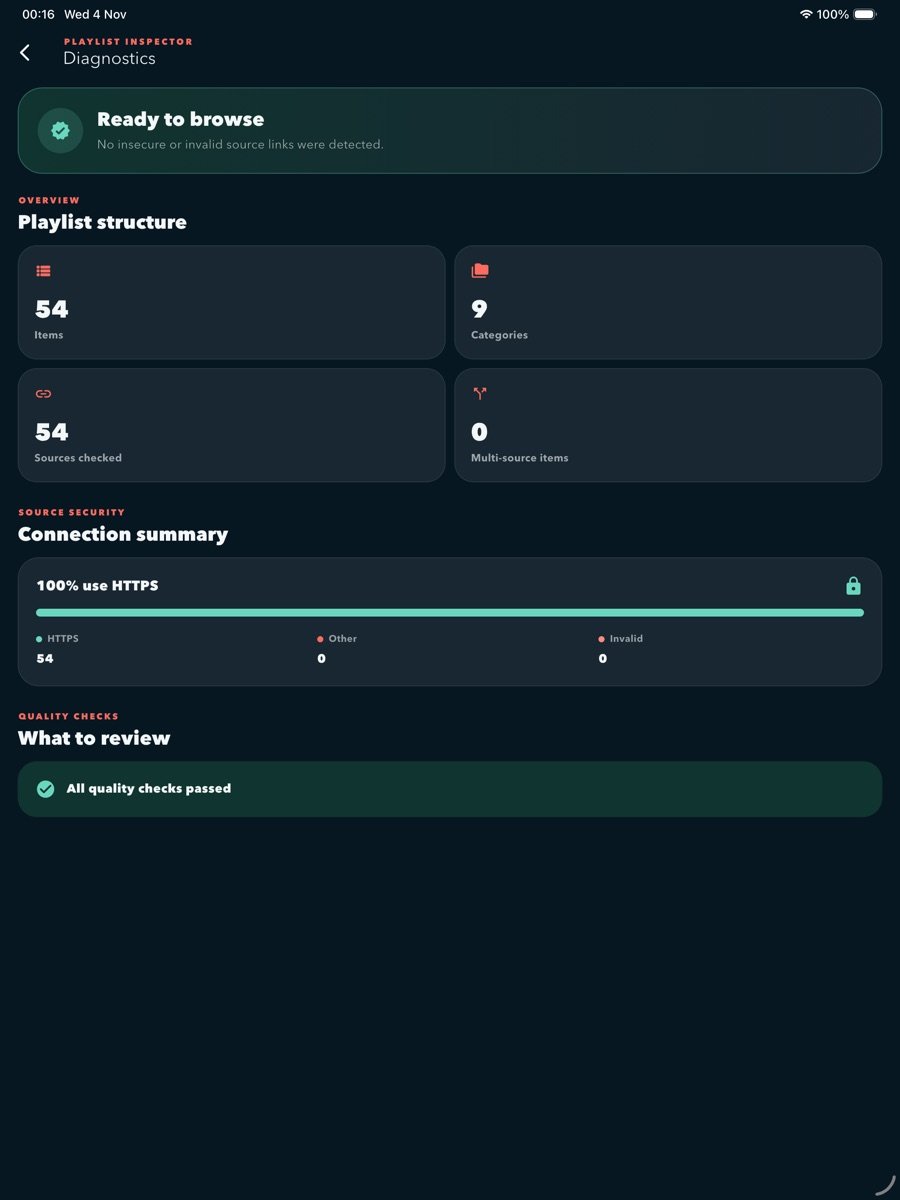
  • Item, category, and source counts
  • HTTPS and insecure-link visibility
  • Duplicate and incomplete metadata findings
  • Multi-source entry reporting
HTTPSConnection summary
LocalOn-device parsing
ManualVisible refresh
Playlist diagnostics displayed in Buz World on iPad
Playlist diagnosticsReal iPad interface
Declared by your file

Your collections, in their own order.

The library presents the groups and entries from your source. Buz World does not inject a channel catalog or search for third-party streams.
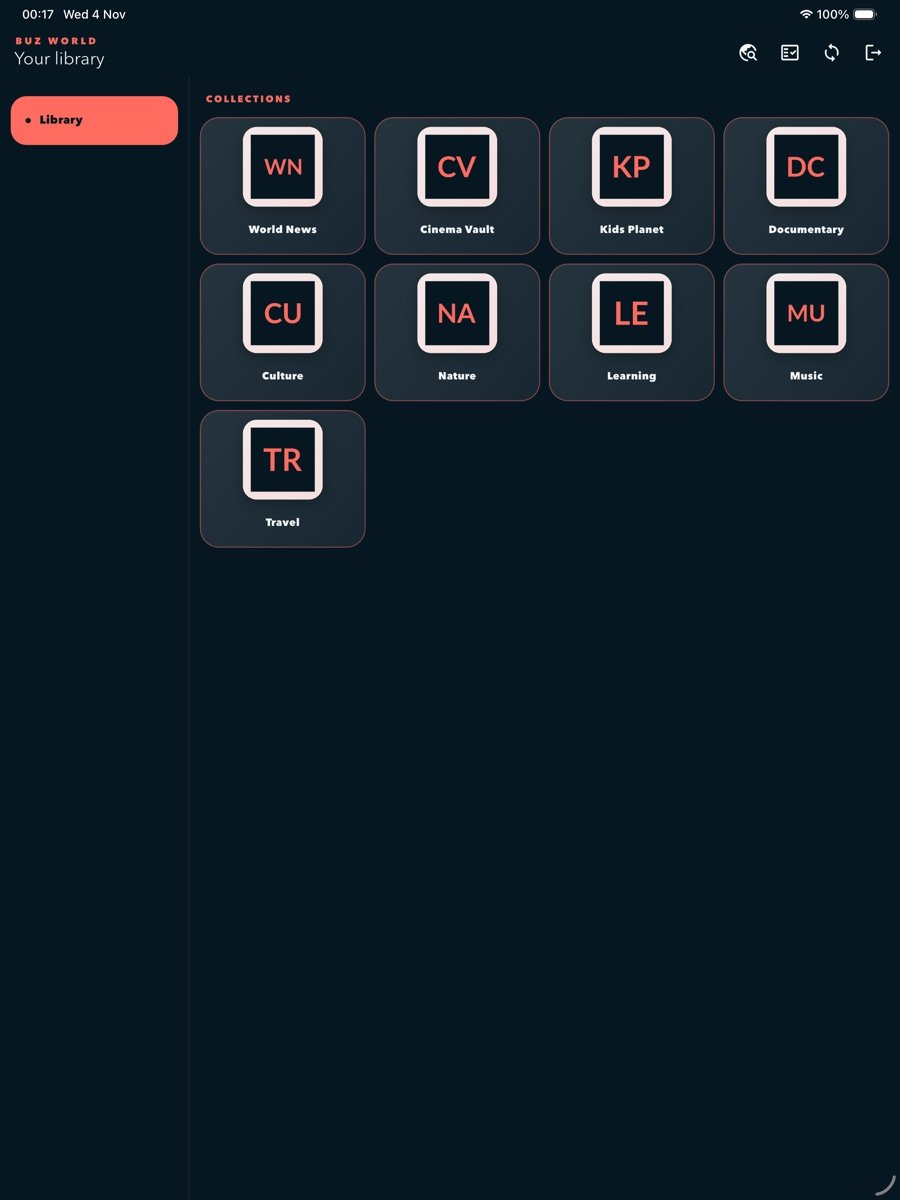
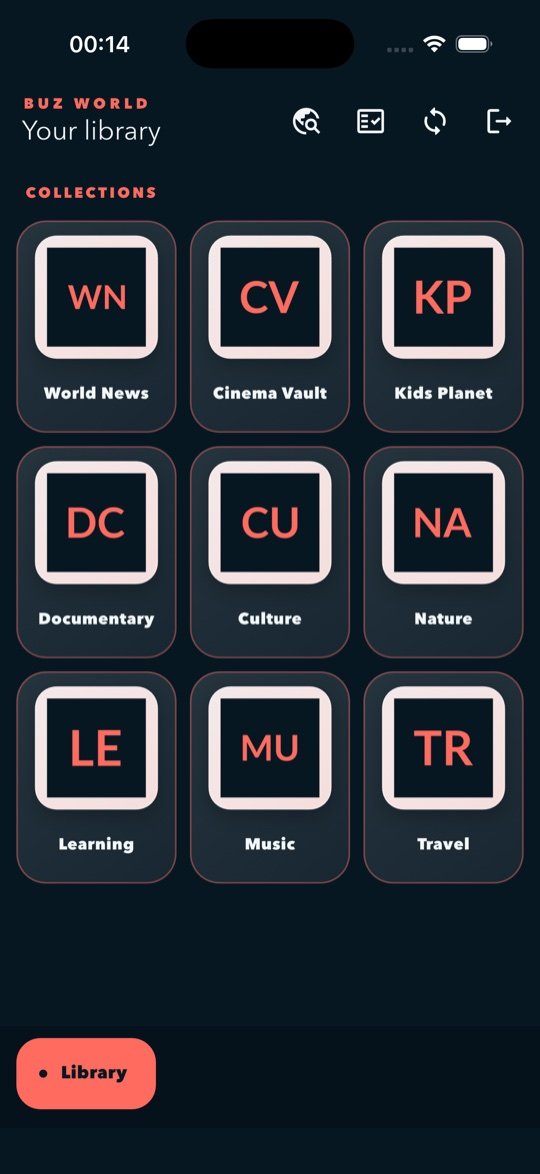
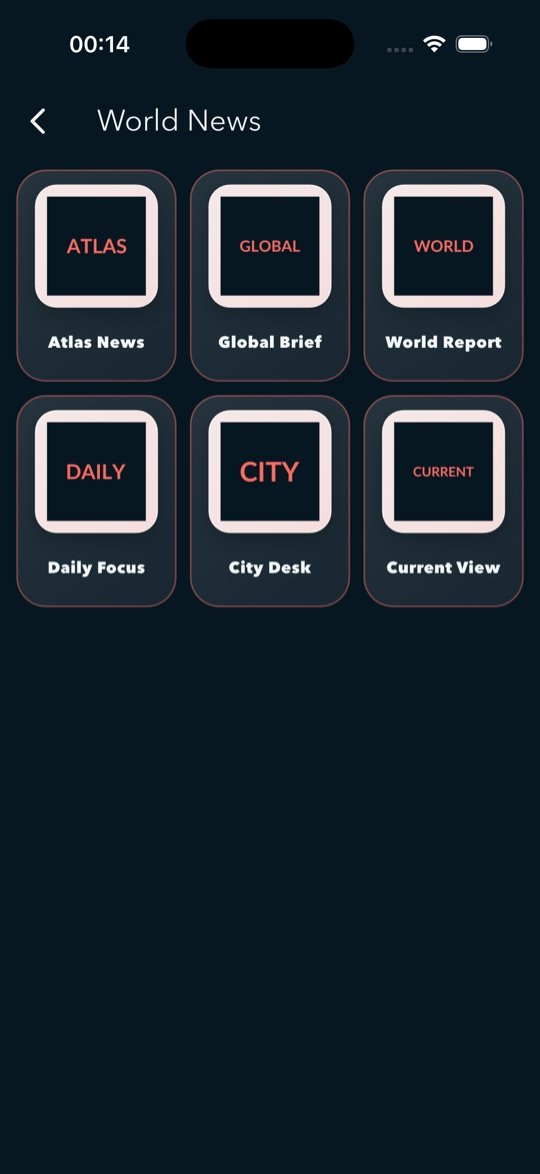
  • Responsive collection and channel grids
  • Search within large imported libraries
  • Source choice for multi-source entries
  • Portrait and landscape support
Collection grid in Buz World on iPad
Collection libraryReal iPad interface
Inside Buz World

A focused interface from start to finish.

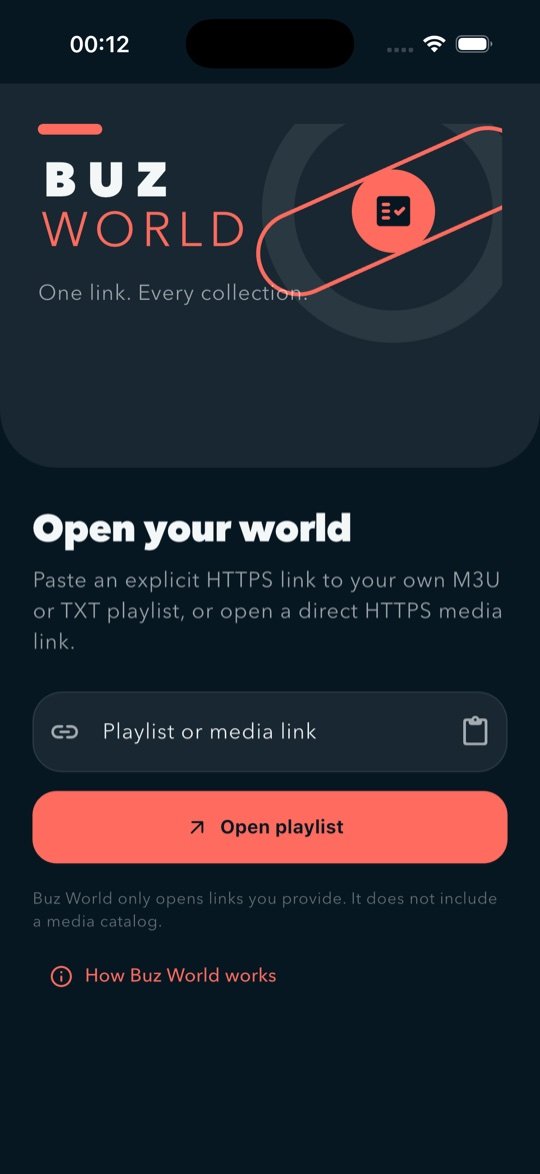
These are real screens from the shipping interface, shown with generic demonstration data.
Product boundaries

Clear by design.

The website, App Store description, and app interface describe the same product.

What Buz World does

  • Reads explicit user-supplied HTTPS sources
  • Parses supported playlist formats on device
  • Displays visible diagnostics and library views
  • Opens supported media through Apple playback frameworks

What Buz World does not do

  • Provide or sell a media catalog
  • Discover third-party streams or provider endpoints
  • Unlock subscriptions or generate access tokens
  • Activate hidden features after review
Privacy by default

Your workspace stays on your device.

No account, advertising, analytics, or tracking SDK is required. Network requests go only to the explicit HTTPS destination you choose and its standard redirects.

Read the privacy policy
Common questions

Straight answers.

Does Buz World include channels or subscriptions?

No. Buz World does not provide a catalog, subscription, or third-party content. It works only with an explicit source supplied by the user.

Which links are supported?

The app accepts explicit HTTPS M3U or TXT playlist links and supported direct HTTPS media such as HLS and MP4. HTTP, embedded credentials, DASH/MPD, and webpage extraction are outside the product model.

Does Buz World collect my playlist?

No. The developer does not receive your imported URL or playlist. Recent inputs, preferences, and the current parsed cache are stored locally on your device.

Where can I get help?
Need a hand?

Support that starts with the facts.

Find setup guidance, format details, troubleshooting steps, and a direct email contact.

Open Support Center